I still remember the day I stood in my unfinished basement staring at bare concrete walls and a single dangling light bulb. I wanted a media room—something better than the living-room TV setup where the kids argued over volume and the dog barked through every action scene. Three years and one full renovation later, that space is the most-used room in the house. Along the way I learned (sometimes the hard way) exactly where the money goes, which upgrades deliver the biggest jump in experience, and which ones look impressive on paper but barely move the needle.
This guide walks through real 2025–2026 costs, the decisions that matter most, and the practical trade-offs I’ve seen in my own project and in the homes of friends who’ve done the same. Numbers come from current U.S. market data, installer quotes, and material pricing. Regional differences are real—coastal cities run higher—so treat the ranges as planning tools rather than fixed quotes.
Table of Contents
What a Media Room Actually Is (and Isn’t)
Overall Cost Ranges in 2026
Breaking Down the Major Expense Categories
Real Project Examples by Budget Tier
DIY vs. Professional: Honest Cost and Quality Trade-offs
Hidden Costs That Catch Most Homeowners
Tools and Resources I Actually Used
Future Trends Worth Watching
Frequently Asked Questions
Final Thoughts
What a Media Room Actually Is (and Isn’t)
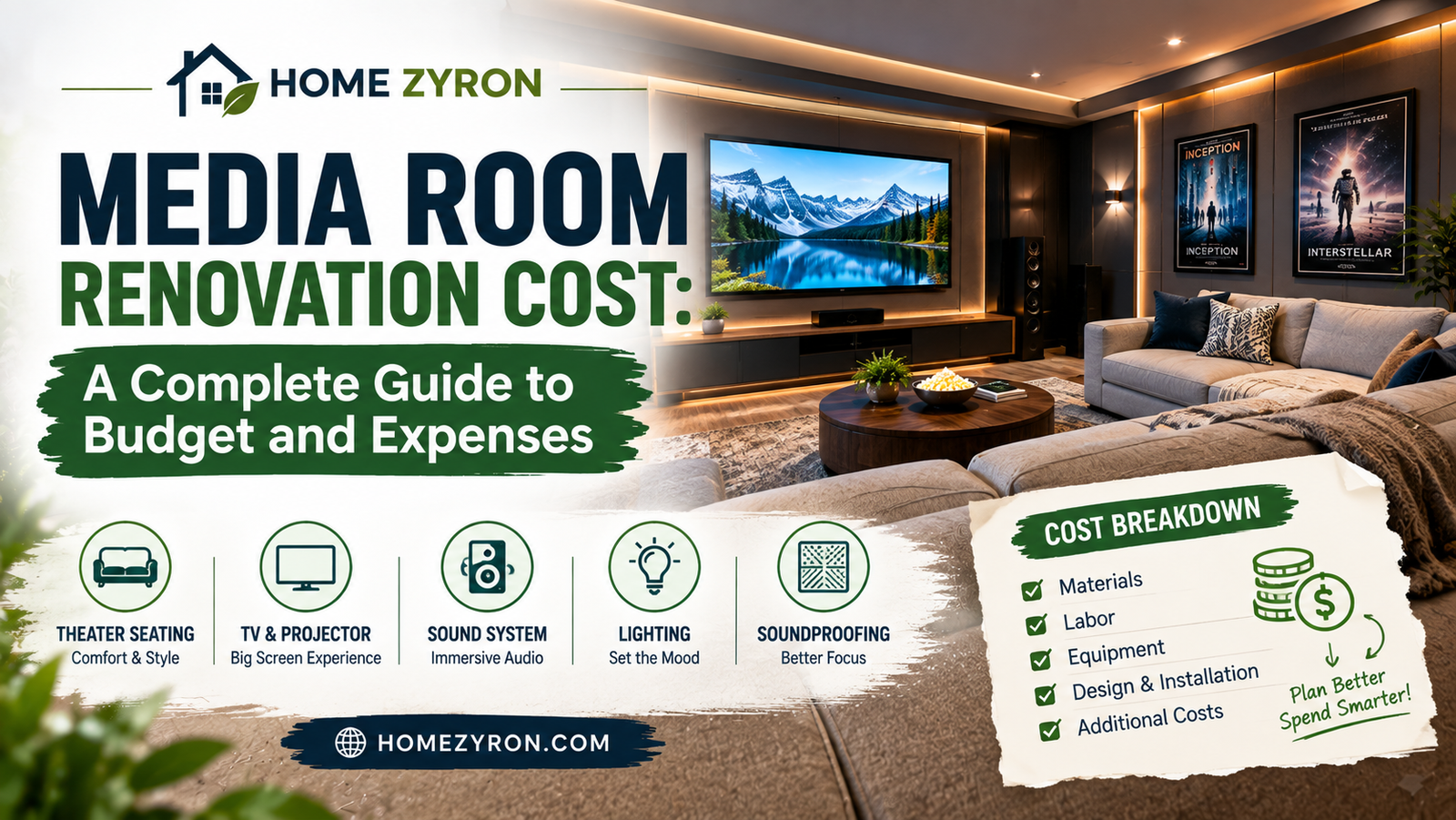
A media room is a flexible entertainment space designed for movies, sports, gaming, and casual hanging out. It usually keeps natural light options, multipurpose furniture, and an open feel. A dedicated home theater is more sealed, acoustically treated, and focused on cinematic performance—often with tiered seating, blackout capability, and higher isolation from the rest of the house.
The distinction matters because the cost curves diverge fast. A media-room upgrade in an existing finished space can stay under $10,000. Trying to turn the same room into a reference-level theater easily pushes past $40,000–$60,000 once isolation, HVAC, and premium gear enter the picture. Most people I know start with the flexible media-room approach and later decide whether they want to go further.
Overall Cost Ranges in 2026
Current data from multiple sources puts professional media-room or home-theater work in these broad bands:
Full dedicated theater with isolation and premium finishes: $50,000–$150,000+ (and higher in luxury markets)
National averages for professional home-theater installation hover around $20,000–$25,000, with a common reported range of $10,000–$60,000. One detailed remodel cost model lists a typical media-room remodel between roughly $8,500 and $13,800. These figures mix construction, finishes, and equipment; pure gear-only installs sit lower.
Location changes everything. Labor and materials in high-cost areas can run 30–55% above the national midpoint. Unfinished basements or rooms needing structural work also push totals higher.
Breaking Down the Major Expense Categories
Here’s where the money typically goes, based on the projects I’ve tracked and current pricing.
Display and Source Equipment A solid 75–85-inch 4K TV runs $1,200–$3,500. Jump to 98-inch or a quality short-throw projector + 100–120-inch screen and you’re looking at $3,000–$8,000+ for the display alone. Streaming devices, media servers, and a good AVR add another $800–$3,000. Premium laser projectors climb higher still.
Audio System Basic 5.1 package (receiver + speakers + sub): $800–$2,500. Dolby Atmos 5.1.2 or 7.1.4 with better speakers and dual subs: $2,500–$8,000. In-wall or architectural speakers look cleaner but cost more to install. This is one area where spending up to a point clearly improves the experience; beyond that the returns diminish for most listeners.
Seating and Furniture A good sectional or pair of recliners: $1,500–$5,000. Full theater-style recliners with cup holders and power recline for 4–6 people: $3,000–$12,000+. Risers for tiered seating add framing and carpet costs. Don’t skimp here—comfort determines how much the room actually gets used.
Acoustic Treatment and Sound Control This is the quiet budget-killer. Basic fabric-wrapped panels for first-reflection points and some bass traps: $800–$2,500 DIY or installed. Full room treatment with better coverage and diffusion: $2,500–$8,000. True sound isolation (extra drywall layers, Green Glue, resilient channel, solid-core doors, sealing) can add $3,000–$15,000 depending on how thorough you go. Many media rooms stop at treatment rather than full isolation and still sound excellent.
Electrical, Wiring, and Infrastructure Dedicated circuits, proper outlets behind the equipment and seating, HDMI/speaker runs in walls or conduit, and a clean power solution: $1,000–$4,000+. Underestimating this is common. Running everything surface-mounted looks bad and limits future flexibility.
Lighting and Window Treatments Dimmed recessed lights, bias lighting behind the screen, and scene control: $500–$2,500. Blackout shades or curtains: $300–$1,500. Good lighting control is one of the highest-impact, lowest-cost upgrades for perceived quality.
Finishes, Cabinetry, and Media Walls Paint, carpet or acoustic flooring, and basic built-ins: $1,500–$5,000. A full media wall with storage, LED accents, and possibly an electric fireplace: $2,500–$10,000+ depending on size and joinery quality.
Labor and Design Professional AV integration and construction labor often represent 30–50% of the total on mid-to-high projects. Low-voltage specialists and electricians command higher rates than general laborers.
Real Project Examples by Budget Tier
Budget / Focused Upgrade (~$4,000–$7,000) Existing finished bonus room. Mount a 77-inch OLED, install a solid 5.1 system with in-wall wiring where possible, add a few acoustic panels, put the existing sofa on a new rug, and set up simple smart-bulb scenes. This is the most common starting point and already feels dramatically better than a living-room TV.
Mid-Range Coordinated Room (~$10,000–$18,000) Add a media wall or built-in storage, upgrade to Atmos speakers, install better lighting and blackout treatments, improve seating, and do targeted acoustic work. This is the sweet spot for most families—the room becomes the default place to watch anything without feeling like a pure theater that can only do one thing.
Performance Conversion (~$25,000–$45,000) Stronger acoustic treatment or partial isolation, higher-end display or projector, better amplification and speakers, custom cabinetry, improved HVAC considerations, and polished finishes. At this level the experience approaches dedicated-theater quality while still allowing the room to flex for other uses.
Higher budgets move into full isolation, reference gear, automation systems, and architectural finishes that can easily double or triple the numbers above.
DIY vs. Professional: Honest Cost and Quality Trade-offs
I did a meaningful amount of the finishing and panel work myself and hired out the electrical, wiring, and critical AV calibration. Pure DIY can cut labor costs dramatically—sometimes 40–60% on certain elements—but the risks are real. Running low-voltage wire through finished walls, ensuring proper power, and getting acoustics right take knowledge and tools. A botched install often costs more to fix than hiring it out the first time.
Professional integration brings clean cable management, system programming, and warranty support. For anything involving new circuits, in-wall work, or complex audio, the professional route usually delivers better long-term results. Hybrid approaches (you handle paint, panels, and furniture; pros handle infrastructure and calibration) often give the best balance.
Hidden Costs That Catch Most Homeowners
Electrical panel capacity or new sub-panel needs
HVAC noise or capacity issues once the room is more sealed
Permits and inspections in some jurisdictions
Furniture delivery, assembly, and disposal of old items
Calibration and programming after the gear is in
Contingency for surprises (always budget 10–15%)
One friend discovered mid-project that his panel couldn’t support the new dedicated circuits without an upgrade that added several thousand dollars. Another under-budgeted blackout solutions and ended up with light spill that killed contrast on the screen. Plan for these.
Tools and Resources I Actually Used
For acoustic calculations and panel placement I relied on free room-mode calculators and manufacturer guides from companies like GIK Acoustics and ATS. For system design I used the official Dolby Atmos home setup recommendations and manufacturer configurators from Denon, Marantz, and SVS. Cost tracking happened in a simple spreadsheet; for more complex bids I compared multiple installer quotes side-by-side. Sites such as HomeAdvisor/Angi cost guides and detailed remodel breakdowns provided useful reality checks against local bids.
No single tool replaces walking the actual room with a knowledgeable integrator, but the free resources prevent the worst planning mistakes.
Future Trends Worth Watching
Large-format displays and microLED continue to drop in relative cost, making pure flat-panel solutions more viable for bigger images. Immersive audio is becoming expected rather than optional. Multipurpose media rooms are still growing faster than pure dedicated theaters in many markets, which means more demand for solutions that look good when the lights are on and still perform when the movie starts. Better integration with whole-home control and voice systems is also standard now. Energy-efficient gear and quieter HVAC options are improving, which helps with both operating costs and noise.
Frequently Asked Questions
How much should I budget for a basic media room? $4,000–$8,000 covers a meaningful upgrade in most finished rooms if you prioritize display, audio, and simple light control.
Is a media room cheaper than a full home theater? Usually yes, because it avoids heavy isolation and specialized construction. The gap grows with performance ambitions.
Can I do it myself and save money? Yes on finishes, furniture, and basic panels. Infrastructure and complex audio benefit strongly from professionals.
What’s the single highest-impact upgrade for the money? Better audio and proper light control usually transform the experience more than simply buying a larger screen.
How long does a typical renovation take? Focused upgrades: days to a couple of weeks. Coordinated renovations with construction: 3–8 weeks depending on scope and scheduling.
Final Thoughts
A media room done thoughtfully becomes one of the highest-return spaces in a home—not just financially, but in daily enjoyment. The key is matching the scope to how you actually live. Start with the infrastructure and room treatments that are hard to change later, choose equipment that fits both your budget and your listening/viewing habits, and leave room for future upgrades. My own room still gets occasional tweaks years later, but the core decisions made early continue to pay off every time the lights dim and the sound fills the space.
Get a few local quotes, walk the room carefully, and build the version that fits your life rather than the most expensive version possible. That’s the approach that keeps the project satisfying instead of stressful.
Author Bio Alex Rivera is an independent home-technology researcher and renovator who has planned, budgeted, and completed multiple residential media and listening spaces over the past decade. Drawing on hands-on project experience, manufacturer data, and ongoing conversations with integrators and homeowners, he focuses on practical, evidence-based guidance that helps people make clear decisions about entertainment-room investments without the marketing noise.






1 Comment