




I still remember the first “smart” gadget I ever installed in a client’s house a single color-changing bulb screwed into a table lamp in a Karachi apartment, controlled from a phone that took twenty seconds to load the app. It felt like magic at the time. It also looked terrible, because the lamp itself was cheap, the switch plate was scuffed, and nobody had thought about how the design of the room would actually hold that technology.
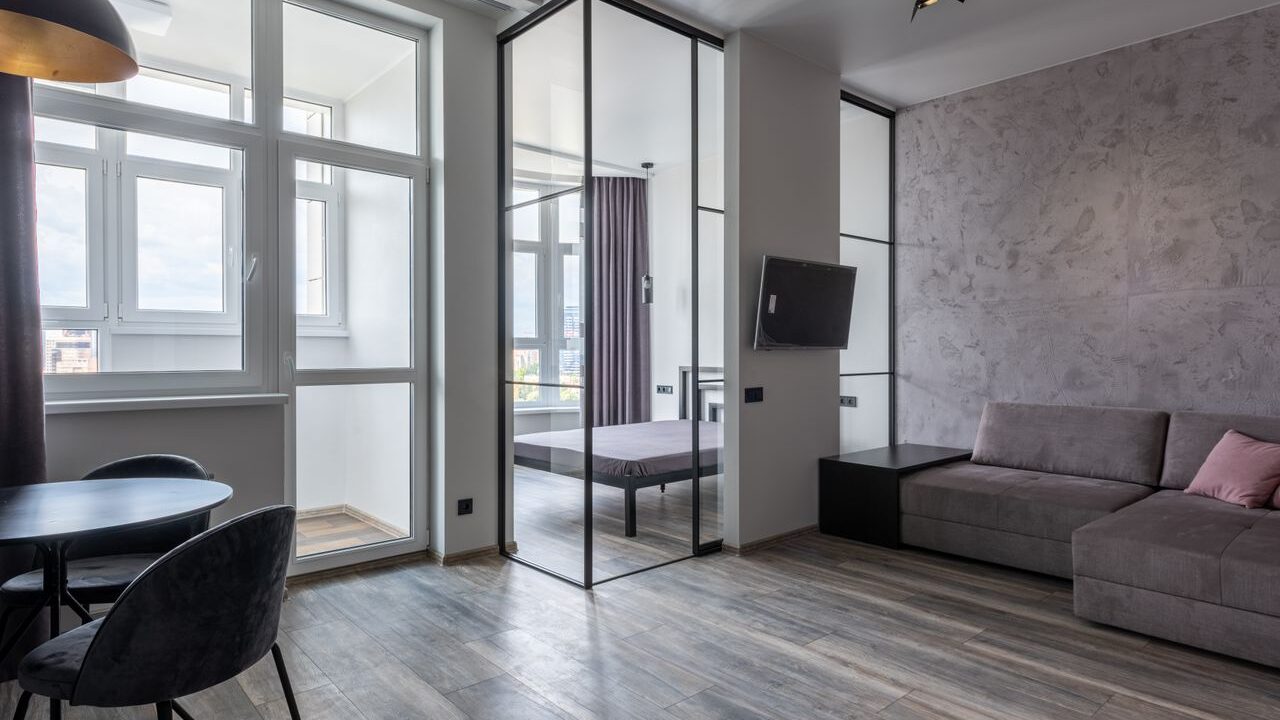
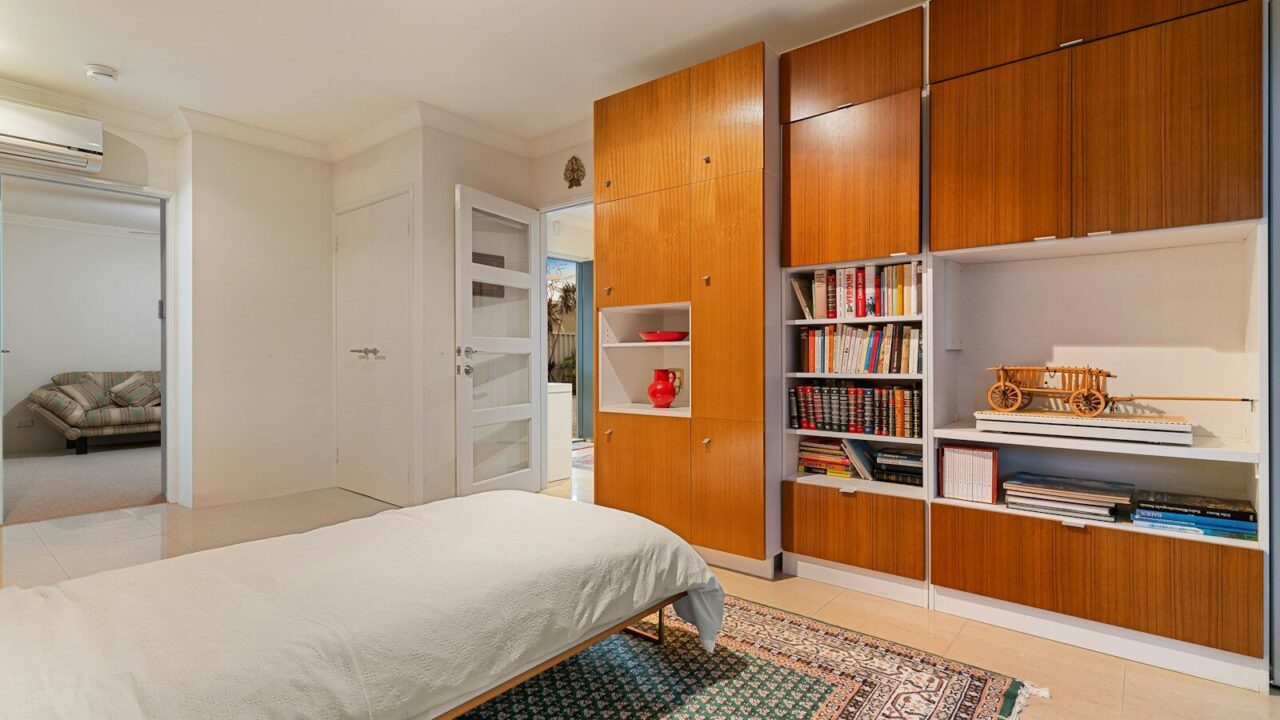
That gap between gadgets and good design is where most smart home projects go wrong. People buy the tech first and figure out the aesthetics later, which is backwards. After years of pairing interior design work with home automation installs, I’ve learned that the best connected homes are the ones where you can’t immediately tell they’re “smart” at all. The technology just disappears into the architecture.
This guide is everything I wish someone had handed me before my first project: real comparisons between the platforms and products people actually argue about, honest opinions on what’s worth your money, and design thinking that treats technology as a material, not an afterthought.
Table of Contents
- What Smart Home Interior Design Actually Means
- The Golden Rule: Design First, Technology Second
- Choosing Your Smart Home Ecosystem: A Real Comparison
- Lighting: The Single Biggest Design Upgrade You Can Make
- Room-by-Room Smart Design Ideas
- Hiding the Tech: Aesthetic Integration Tricks
- Materials, Colors, and 2026 Design Trends
- Budget Tiers: What You Actually Get at Each Price Point
- Common Mistakes I See Homeowners Make
- The Future: Matter, Ambient AI, and What’s Coming Next
- FAQs
- Final Thoughts
- About the Author
What Smart Home Interior Design Actually Means
Smart home interior design is the practice of planning a room’s layout, materials, and finishes around the technology it will contain, instead of bolting technology onto a finished room. It sits at the intersection of two disciplines that historically ignored each other: interior design and home automation engineering.
A plain smart home is a house with gadgets in it. A well-designed smart home is one where the wiring, switch placement, lighting layers, furniture, and materials were all chosen with the automation in mind from day one. You notice the difference immediately when you walk into one — there’s no tangle of visible cables, no mismatched plastic sensors stuck to a plaster wall, no five remote controls fighting for space on the coffee table.
For beginners, here’s the short version: “smart” just means a device can be controlled remotely, scheduled, or triggered automatically, usually through Wi-Fi, Bluetooth, Zigbee, Z-Wave, or the newer Thread protocol. “Interior design” is how you make that device belong in the room instead of looking like it was dropped there by a delivery drone. Good smart home interior design does both at once.
The Golden Rule: Design First, Technology Second
Every project I’ve worked on that went smoothly followed the same order of operations, and every one that went badly skipped a step.
Start with how you actually live, not with a product catalog. Before picking a single device, I ask clients to walk me through a normal day — when they wake up, which lights they turn on first, where they charge phones, what annoys them about their current lighting or thermostat. The automation should solve real friction, not add new gadgets for their own sake.
Plan wiring and switch locations during renovation, not after. This is the single biggest cost-saver in smart home design. Running a neutral wire to a switch box, adding a low-voltage line for a future in-wall tablet, or pre-wiring for ceiling speakers costs almost nothing during construction and can cost hundreds of dollars per point once the drywall is closed.
Treat the smart hub like a piece of furniture, not a gadget. If you’re installing a wall-mounted control panel, a smart thermostat, or a hub with a screen, it needs the same design consideration as a light switch or a mirror — height, sightlines, and finish all matter.
Layer your lighting before you automate it. Automation makes bad lighting design worse, not better. A room with only one ceiling fixture will look flat and clinical no matter how many “scenes” you program into an app. Ambient, task, and accent lighting need to exist first; automation just gives you control over the mix.
Choosing Your Smart Home Ecosystem: A Real Comparison
This is the decision that determines everything downstream, and it’s the one people research the least before buying their first device. I’ve run all five of the major platforms in real homes, and here’s my honest read on each one as of mid-2026.
| Platform | Best For | Voice Assistant | Openness | 2026 Standout | Starting Cost |
|---|---|---|---|---|---|
| Amazon Alexa+ | Widest device compatibility, voice-first households | Alexa+ (generative AI, multi-step commands) | Very wide third-party support | Handles combined requests like “dim the lights, lock the door, and start the coffee maker” in one sentence | Free with Prime; $19.99/month without it |
| Google Home (Gemini for Home) | Android households, natural conversation | Gemini for Home, replacing the old Google Assistant | Solid and improving, sometimes behind on niche device types | Gemini Live lets you have a genuine back-and-forth conversation with your home instead of issuing commands | Core features free; advanced features need a Premium subscription |
| Apple Home | Privacy-focused Apple households | Siri (a major AI overhaul is rolling out through iOS 27) | Narrower device catalog but growing fast through Matter | 2026 brought AI-searchable security camera footage and Apple Intelligence-generated automations through Shortcuts | Free, built into iOS/iPadOS |
| Samsung SmartThings | Samsung appliance owners, Matter enthusiasts | Bixby (limited compared to the others) | Very Matter-forward, quick to adopt new device categories | Among the fastest platforms to fully support new Matter device types as they’re released | Free |
| Home Assistant | Tinkerers and privacy purists who want zero cloud dependency | None built-in, but works with any assistant via add-ons | Fully open source, runs locally | Total control, thousands of community integrations, no reliance on a company’s servers staying online | Free software, roughly $100–150 for a small home server (like a Home Assistant Green) |
My honest verdict on each one:
Alexa+ is the one I recommend to clients who already own a mix of brands and just want everything to work together without fuss. Amazon’s device compatibility is genuinely the broadest on the market, and the new generative-AI version handles natural, multi-step requests far better than the old rigid command structure. The tradeoff is that Amazon’s ecosystem still feels the most “product-driven” — you’ll get more upsells and skill suggestions than with the other platforms.
Google Home is my pick for anyone who wants the most natural-feeling voice interaction. Gemini for Home genuinely holds context in a conversation now, so you can say “turn on the kitchen lights” and then, a few minutes later, “make them warmer” without repeating yourself. The catch is that some of the most useful features like searchable camera history sit behind a subscription, and the ecosystem occasionally lags behind Alexa on very new device categories.
Apple Home is the right call if your household is already deep in the Apple ecosystem and privacy is a genuine priority, not just a talking point. Processing happens largely on-device, and the Home app’s design is still the cleanest of the bunch visually. My honest criticism: Apple has been slow. The long-promised AI-powered Siri overhaul and dedicated smart home hub hardware have been delayed repeatedly, and until that lands, Apple Home feels a step behind Alexa and Google on conversational intelligence.
SmartThings rarely gets recommended first, and I think that’s a mistake for anyone who owns Samsung appliances or wants to future-proof against the Matter standard. It’s consistently one of the fastest platforms to support new Matter device categories, which matters more every year as more brands adopt the standard.
Lighting: The Single Biggest Design Upgrade You Can Make
If a client only has budget for one category of smart upgrade, I always steer them toward lighting. It changes the feel of a room more than furniture, more than paint, and more than any single gadget you can buy.
| System | Connection | Hub Needed? | Best For | My Honest Take |
|---|---|---|---|---|
| Philips Hue | Zigbee, with Bluetooth and expanding Thread support | Yes, for full scene and automation features | Whole-home ambient lighting, the richest app experience | Still the most polished ecosystem overall, but you’ll pay for it — expect roughly $50 per color bulb |
| Lutron Caseta | Proprietary Clear Connect RF | Yes, Smart Bridge required | Dimmer switches and whole-home reliability | The most rock-solid, professional-grade system I install; weaker on color bulbs, stronger on switches and shades |
| Nanoleaf | Thread/Matter and Wi-Fi | No hub required for most products | Accent walls, gaming setups, statement pieces | Genuinely beautiful as a design feature, but not a substitute for proper ambient lighting on its own |
| IKEA Dirigera (formerly Trådfri) | Zigbee, with Matter support expanding | Yes, Dirigera hub | Budget-conscious starter systems | Excellent value for money, and IKEA has been aggressively expanding this lineup through 2026 |
Here’s a distinction most articles skip: lighting color temperature matters more than lighting color. Clients get excited about being able to turn their living room purple, and then never use that feature again after the first week. What they do use every day is being able to shift from a crisp, cool white for morning routines to a warm, dim amber in the evening — that’s the feature that actually changes how a room feels and how well you sleep.
My honest verdict:
For a primary residence, I mix Lutron Caseta on switches and dimmers (because reliability matters more than flash for the things you touch constantly) with Philips Hue on accent and feature lighting (because that’s where the richer color and scene control earns its price). Nanoleaf panels are the one splurge I recommend purely for visual impact — a media wall or a home office backdrop, not whole-room lighting.
Room-by-Room Smart Design Ideas
Living Room.
Layer your lighting into at least three zones ambient ceiling or cove lighting, a floor or table lamp for reading, and accent lighting behind the TV or along a shelf. Motorized shades are the upgrade guests notice first; a single scene that dims the lights, lowers the shades, and turns on the TV for “movie night” is a small thing that genuinely changes how a room is used.
Kitchen.
This is where smart design earns its keep functionally. Under-cabinet lighting on a dimmer, a smart display recessed or angled so it doesn’t dominate the counter, and a smart plug for small appliances you tend to forget about (rice cookers, coffee makers) are the three upgrades I install most often. Skip the smart faucet unless you’ve used one in someone else’s kitchen first — I’ve seen more of these ripped out than kept.
Bedroom.
Automated blackout shades on a sunrise-simulation schedule are, in my experience, the upgrade with the best return on happiness. Keep the bedroom’s tech visually minimal — a single bedside control point (a small panel, a dimmer, or a voice puck) rather than multiple devices competing for nightstand space.
Bathroom.
Humidity-triggered exhaust fans and a smart mirror with integrated, dimmable lighting are worth the investment. Be cautious with voice assistants here — most people don’t want a microphone-equipped device in a bathroom, and it’s a fair instinct.
Home Office.
Automated desk lighting tied to your calendar (bright and cool during work hours, warmer after) sounds like a gimmick until you’ve lived with it. Cable management matters more here than in any other room — a smart office with visible cords everywhere undercuts the whole point.
Entryway.
A smart lock and a single, well-placed keypad or video doorbell do more for daily convenience than almost any other single device in the house. Choose a lock finish that matches your existing door hardware; this is the one area where I see the most obvious design mismatches, because people buy the lock that reviews well rather than the one that fits their door.
Hiding the Tech: Aesthetic Integration Tricks
The mark of skilled smart home interior design is restraint. A few tricks I use on almost every project:
- In-wall and in-ceiling speakers instead of standalone smart speakers wherever the budget allows — you get better sound and zero visual clutter.
- Matte black or brushed finishes on switches and sensors so they read as intentional design elements rather than plastic add-ons; most major switch brands now offer finish options that match modern hardware lines.
- Recessed or flush-mounted control panels set into millwork instead of surface-mounted on a wall.
- Motorized shade tracks hidden in a ceiling pocket or valance so you never see the mechanism, only the fabric.
- Charging drawers — a shallow drawer with a cutout for a cable, so phones and tablets charge out of sight instead of cluttering a countertop.
Materials, Colors, and 2026 Design Trends
Smart home design has quietly nudged interior trends in a specific direction over the past couple of years: warm minimalism. Because technology already adds visual “noise” to a room in the form of sensors, panels, and screens, the surrounding materials have trended toward calmer, more textural choices to balance it out.
I’m seeing a lot more warm woods, honed (not polished) stone, and matte plaster finishes — surfaces that feel tactile and organic next to the inherently cool, glossy nature of screens and glass. Color palettes have moved away from stark, all-white “tech house” looks toward warmer neutrals — terracotta, sage, and deep charcoal — specifically because they photograph and live better under the color-tunable lighting that’s now standard in most smart homes. Fabric and paneled acoustic wall treatments are also increasingly popular, partly for the tactile warmth and partly because they help mask the more subtle hum of ventilation and AV equipment in rooms full of connected devices.
Budget Tiers: What You Actually Get at Each Price Point
Starter tier (roughly $200–$600): A smart speaker or display, a handful of smart plugs, one or two color bulbs, and a video doorbell. This is enough to prove the concept and build habits before investing further.
Mid-range tier (roughly $1,500–$4,000): A full lighting system across your main living spaces (Hue or Lutron), a smart thermostat, a smart lock, and one or two motorized shades. This is where most of my residential clients land, and it’s genuinely enough to feel like a transformed home.
Full integration tier (roughly $8,000–$25,000+): Whole-home wiring for switches and shades done during a renovation, a dedicated low-voltage contractor, multi-room audio, integrated security, and a design-matched control system throughout. This tier is where the “you can’t tell it’s smart” effect really happens, because everything was planned into the architecture from the start.
Common Mistakes I See Homeowners Make
Buying devices before choosing an ecosystem. I’ve walked into homes with three different brands of smart plug, none of which talk to each other properly, because each one was bought on a different Amazon sale.
Over-automating and under-designing. A house full of triggers and routines but flat, single-source lighting will never feel as good as a well-lit room with a single smart switch.
Ignoring Wi-Fi coverage. Smart homes live and die on network reliability. A mesh Wi-Fi system is not optional once you’re past the starter tier — it’s foundational infrastructure, like plumbing.
Choosing finishes that clash with existing hardware. A brushed-brass smart lock on a home full of matte black hardware is the kind of mismatch that’s cheap to avoid and expensive to fix later.
Skipping the “what happens if the internet goes down” question. Locks, in particular, should always have a physical key backup. I don’t compromise on this for any client, regardless of how much they trust their Wi-Fi.
The Future: Matter, Ambient AI, and What’s Coming Next
The biggest shift happening in the industry right now is the maturing of Matter, the cross-platform standard backed by Amazon, Apple, Google, and Samsung together. The promise is simple: buy a device with the Matter logo, and it should work with whichever ecosystem you use, without a proprietary hub. As of mid-2026, the standard is up to version 1.6, with over 700 certified products on the market and growing support for energy management, cameras, and locks. It isn’t perfect yet — some platforms implement the spec more completely than others — but it’s real progress toward the “buy anything, it just works” future the industry has promised for a decade.
The second shift is generative AI moving into voice assistants themselves. Alexa+, Gemini for Home, and Apple’s upcoming Siri overhaul are all converging on the same idea: instead of memorizing rigid commands, you talk to your home the way you’d talk to a person, and it holds context across a conversation. In practice, this means saying “I’m cold and it’s a bit dark in here” and having the system infer what to actually adjust, rather than requiring an exact phrase.
My own prediction, based on what I’m seeing in current product roadmaps: within the next couple of years, the “hub” as a separate visible device will start to disappear from well-designed homes altogether, absorbed into mirrors, panels, and architectural fixtures that already needed to be there. The best smart home design has always been the kind you don’t notice — that trend is only going to accelerate.
FAQs
Do I need to rewire my house to make it smart? No. Most lighting, plugs, locks, and sensors today are wireless. Rewiring only becomes worthwhile if you’re doing a full renovation and want to future-proof switch locations and speaker wiring while the walls are already open.
Which ecosystem should a complete beginner choose? If you already own an iPhone, start with Apple Home for its simplicity and privacy. If you’re on Android or want the broadest device compatibility, Google Home or Alexa+ are both strong, beginner-friendly starting points.
Is smart home technology actually secure? It can be, if you take basic precautions: use a separate Wi-Fi network for IoT devices, keep firmware updated, and choose brands that support the Matter standard, since it was built with stronger baseline security requirements than older protocols.
Will smart home upgrades increase my home’s resale value? Well-integrated systems — especially lighting, locks, and thermostats — are increasingly seen as standard amenities rather than novelties, and buyers respond well to homes where the tech is tastefully hidden rather than visibly bolted on. Poorly integrated, gadget-heavy setups can actually hurt a listing.
How long does a full smart home interior design project take? For a single room retrofit, a week or two once devices arrive. For a full-home integration planned alongside a renovation, expect it to run in parallel with your construction timeline, typically two to four months depending on scope.
Final Thoughts
The homes that feel the most impressive to walk into aren’t the ones with the most gadgets. They’re the ones where the technology and the design were clearly considered together, so that a room just works the light feels right without you thinking about why, the shades move without you noticing the mechanism, and nothing on the counter is fighting for your attention. That’s the actual goal of smart home interior design: not more control, but less friction, delivered through spaces that still look and feel like a home rather than a showroom.
If you’re starting from scratch, resist the urge to buy anything on day one. Spend an evening thinking about how you actually move through your home, pick one ecosystem, and let your first purchase solve a real annoyance rather than chase a feature list. Everything else can be layered in over time and it’ll look a lot better for the patience.
About the Author
Naomi Reyes is an interior design researcher and smart home integration consultant with a background in residential architecture and IoT systems. Over the past several years, she has worked directly with homeowners and renovation contractors to plan and install connected lighting, climate, and security systems across residential projects, with a focus on aesthetic integration rather than gadget-first design. Her writing draws on hands-on platform testing, ongoing tracking of the Matter and Thread standards, and real project outcomes rather than press-release specifications.